Guide | MobiPOS > Settings > App Settings > Auto Costing
Auto Costing
By turning on auto costing, the system automatically calculates an item's cost based on its underlying recipes rather than manually entering a fixed cost value.
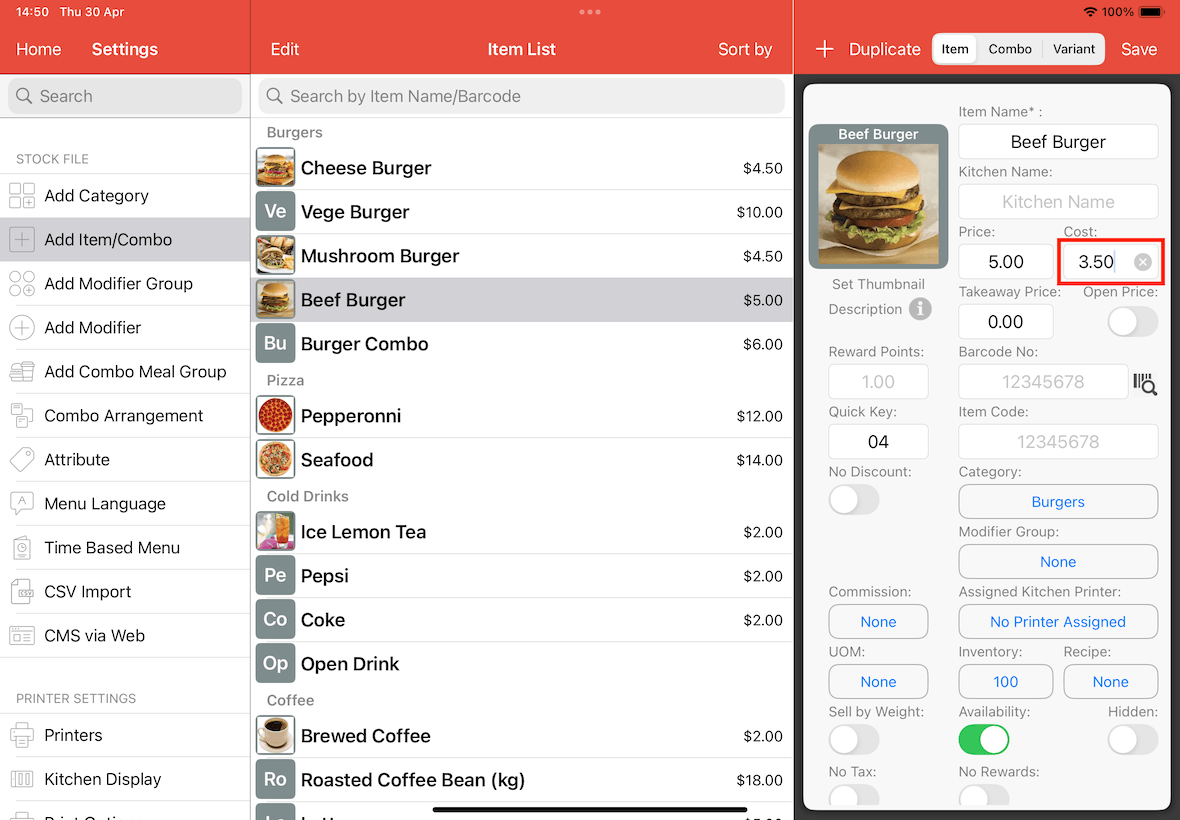
By default, item costs are modified directly by navigating to Settings -> Add Item/Combo, and typing a value into the Cost text field.
To enable automatic cost calculation based on recipes instead of manual entry, follow the steps provided below.
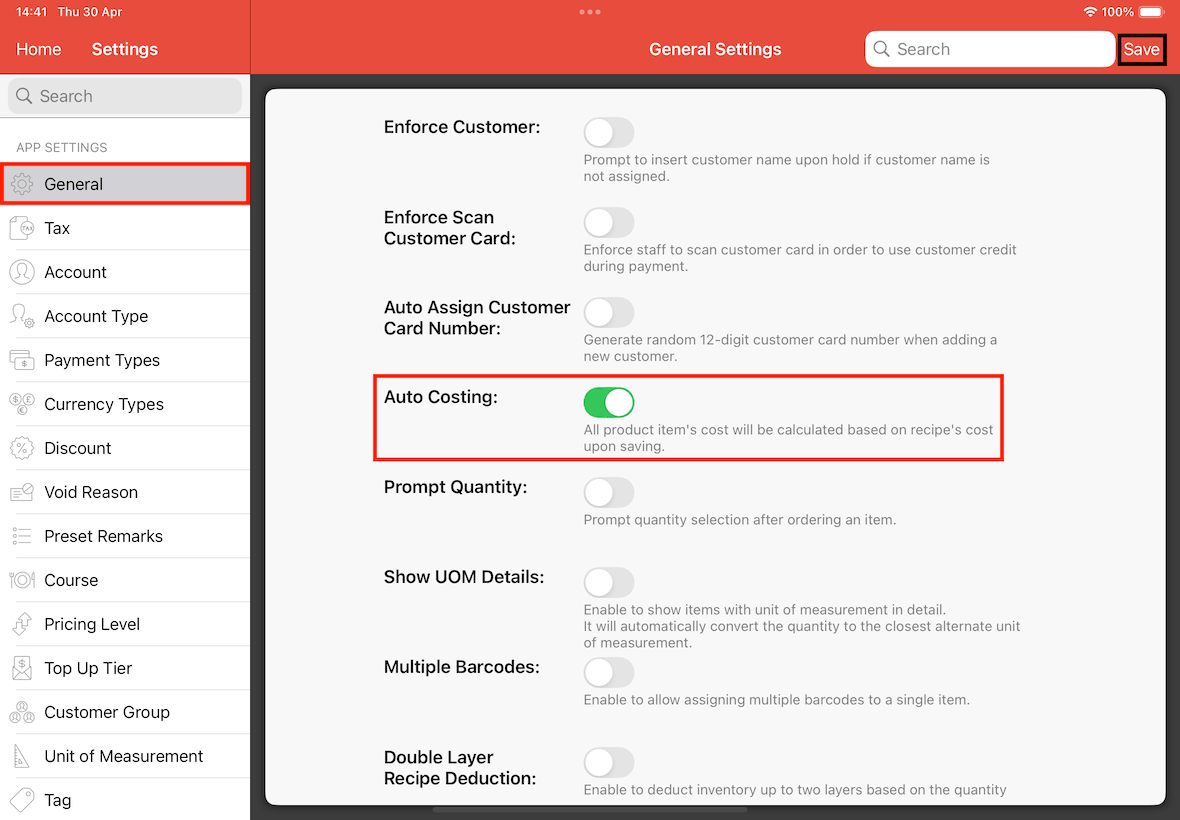
First, navigate to Settings > General > Auto Costing, toggle the switch to On, and tap Save.
After Saving, an alert will appear if the system detects items where the current cost does not match the calculated recipe cost.
This notification warns you that enabling this setting will overwrite all existing initial item costs, as they will now be calculated automatically based on the cost of their respective recipes.
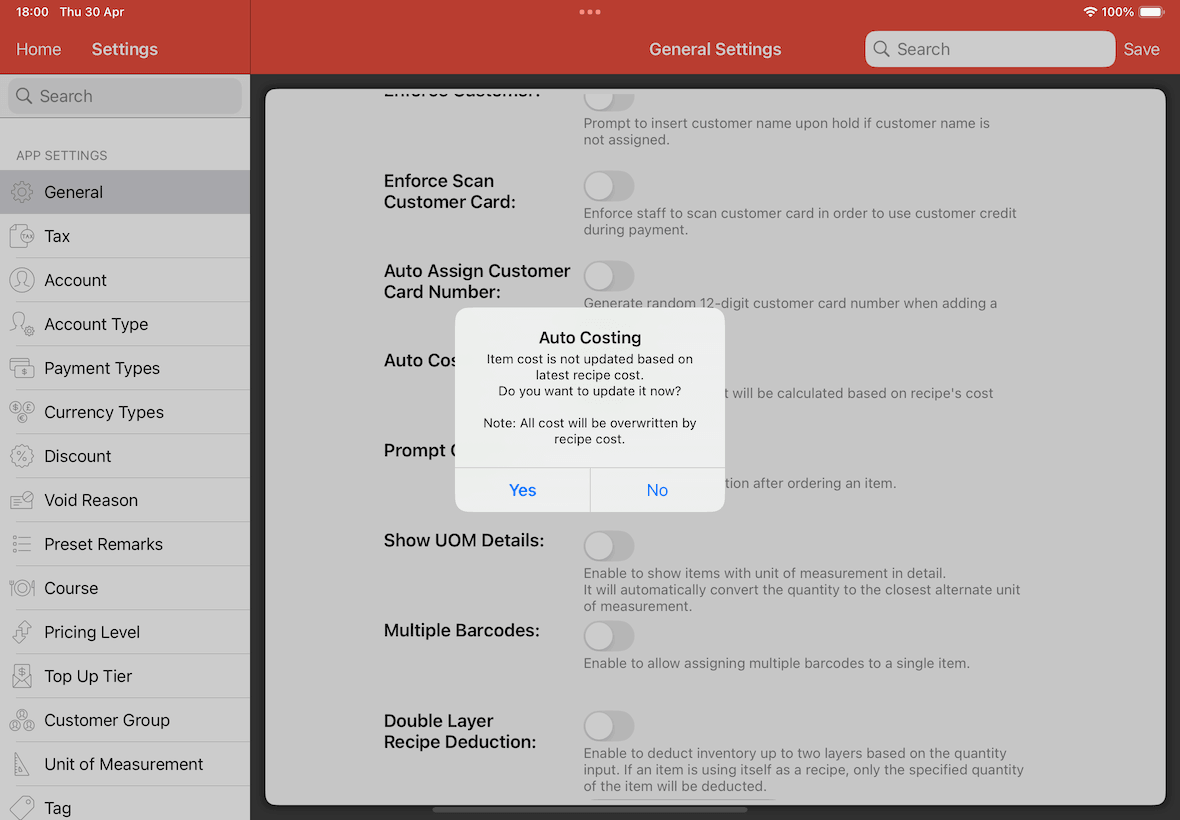
Tap on Yes, the system will immediately overwrite all existing item costs with the total cost derived from their current recipes.
Tap on No, the system will enable the feature, but existing items will remain and their costs will not be affected by the recipe. Moving forward, if items that are saved, it will update their cost according to its recipe still.
If you clicked No, and wish to force these items to sync with their recipes cost, you must turn Auto Costing off, save, and then turn it back on, save and tap on Yes when the alert appears.
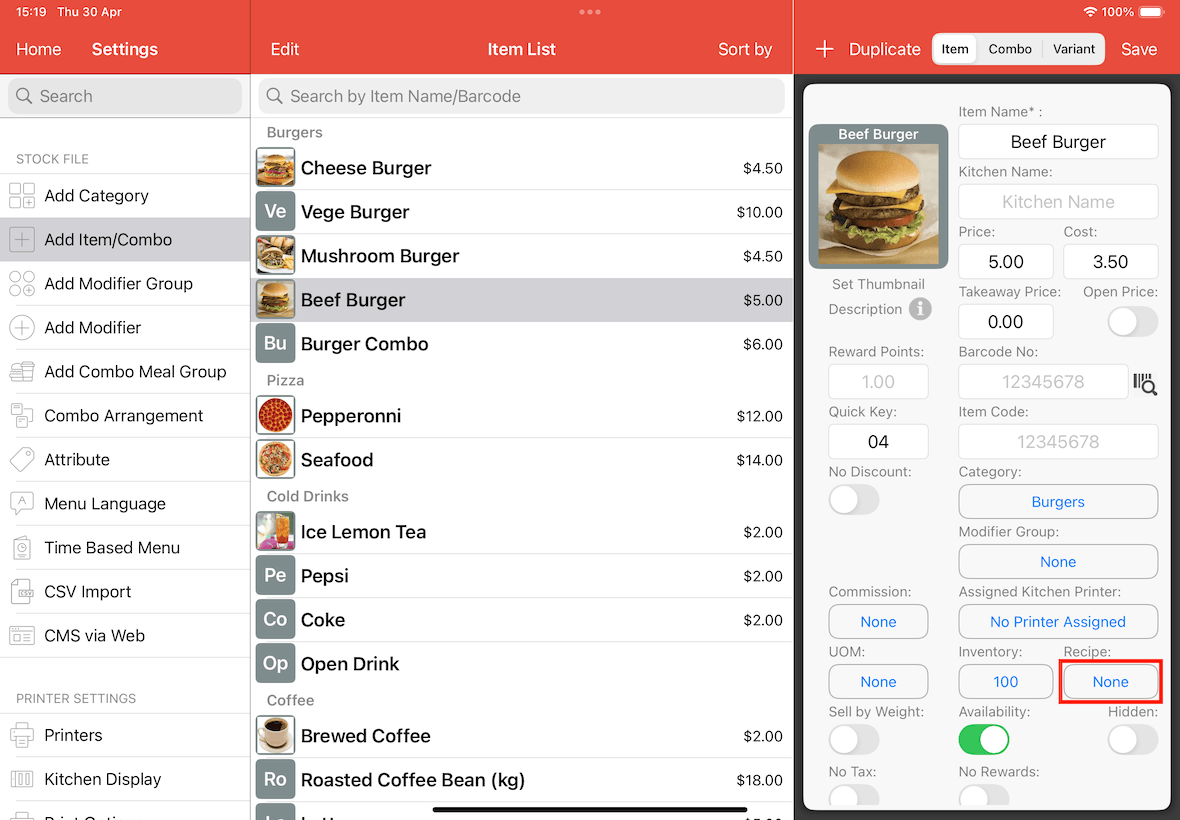
Return to the Add Item/Combo page, tap the None button under the Recipe section, and add the necessary recipes for the item.
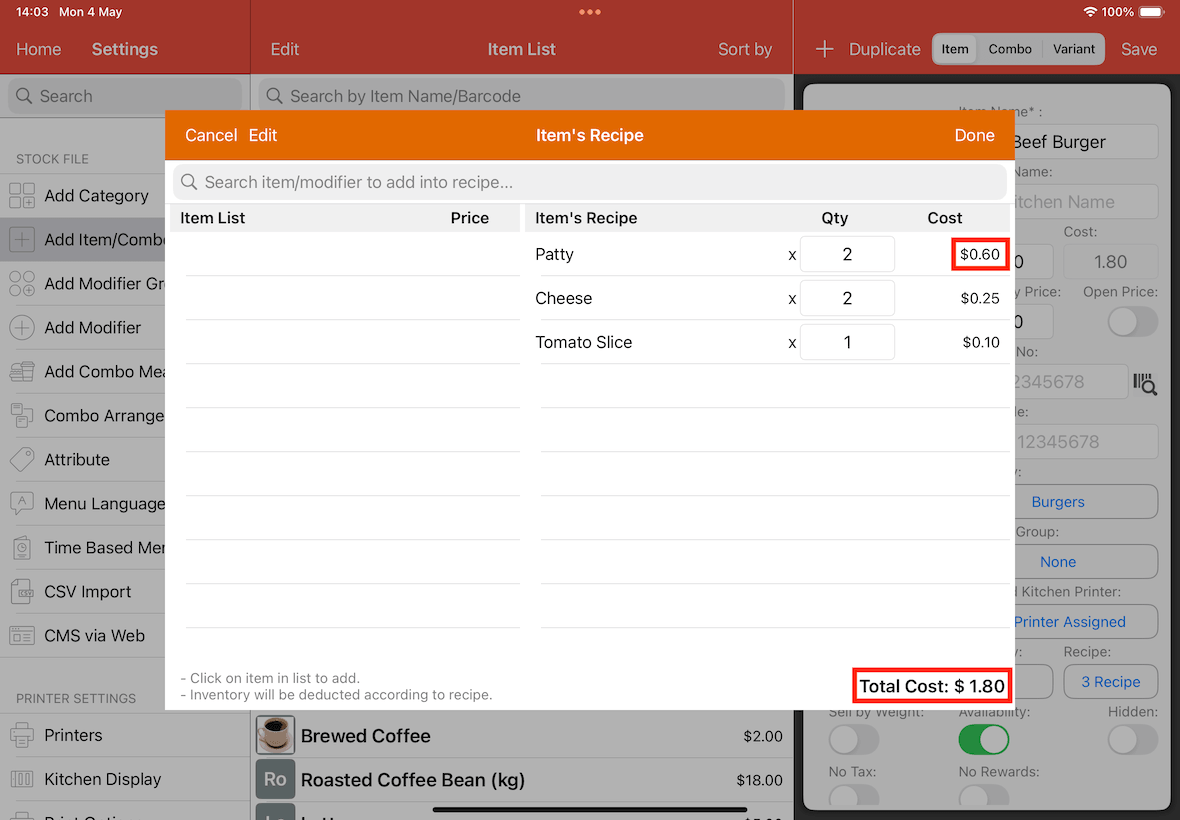
Once you have added different ingredients for the item, the total cost of the recipe will be calculated. $1.60 as shown in the below screen.
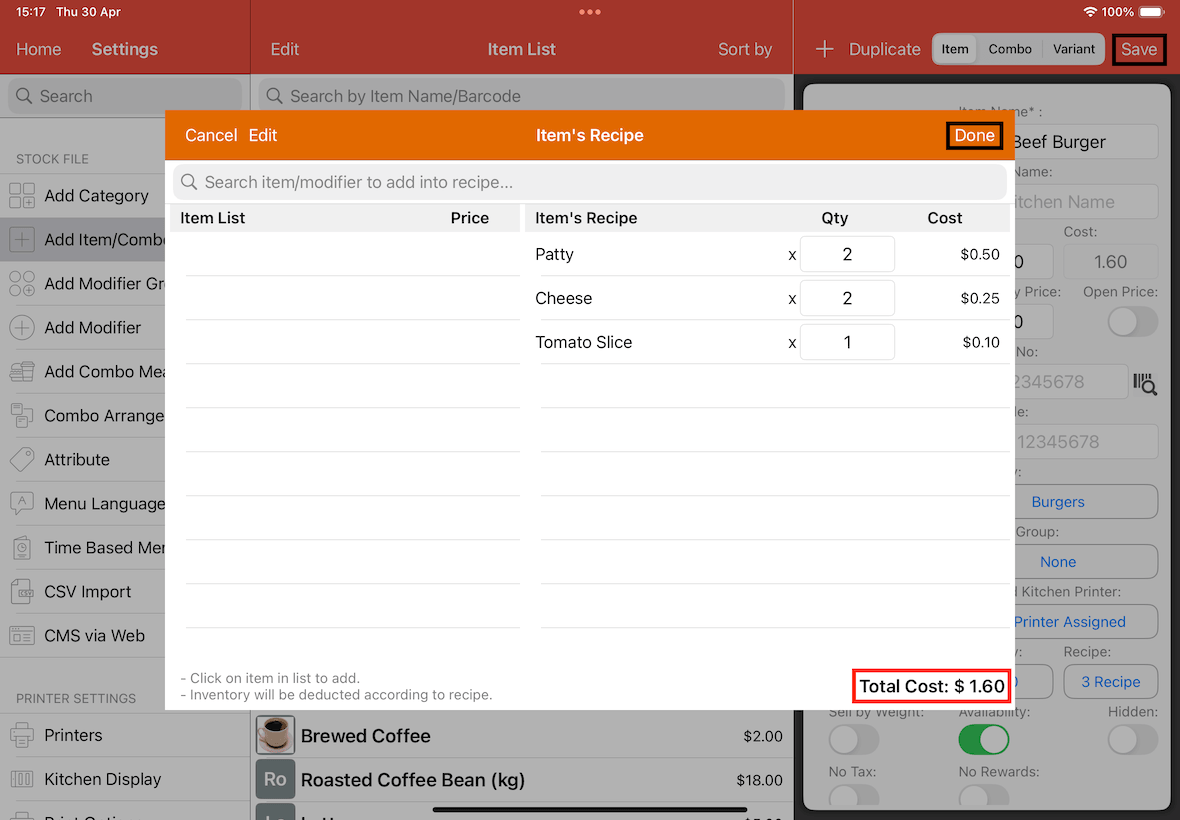
Tap on Done and then Save to confirm.
Note that If you are unsure of how to add ingredients, you can refer to the detailed instructions in this article.
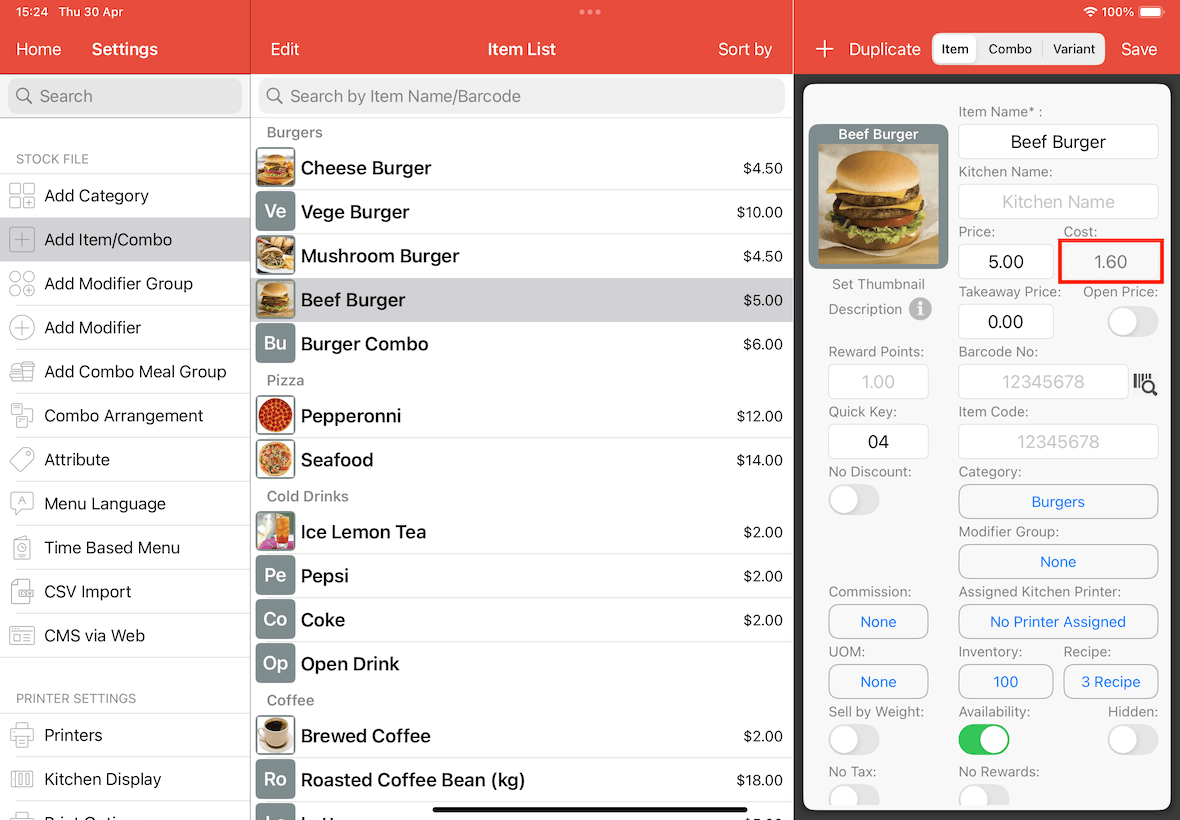
The Cost field for the item will now appear grey and is non editable, as the Auto Costing function has taken control of the calculation.
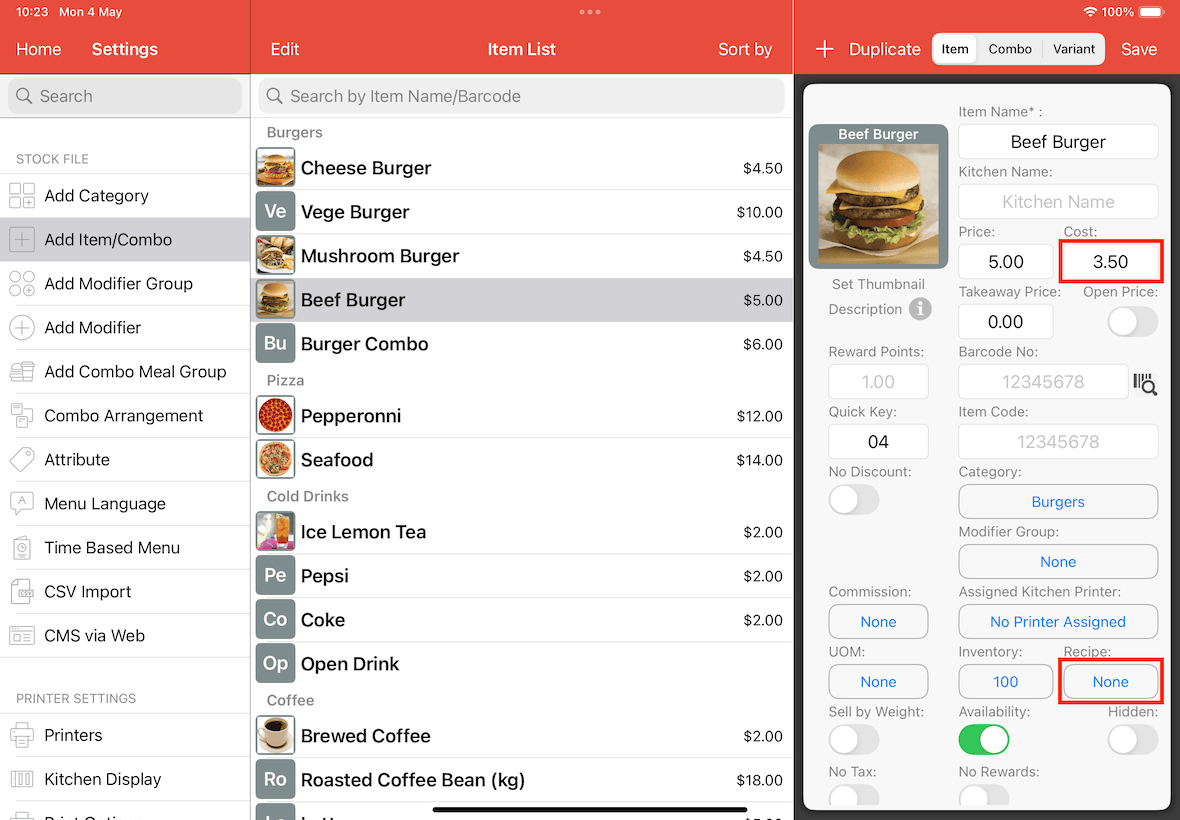
If Auto Costing is enabled but an item has no recipe assigned, the cost will still be editable and remain on the initial cost you set.
It will only become uneditable, and overwritten if there is recipes added for the item.
Any future changes made to the prices of the ingredients within the recipe will automatically update the item's total cost.
In below screenshot, the initial cost of a patty is $0.50, and the total cost of the beef burger is $1.60.
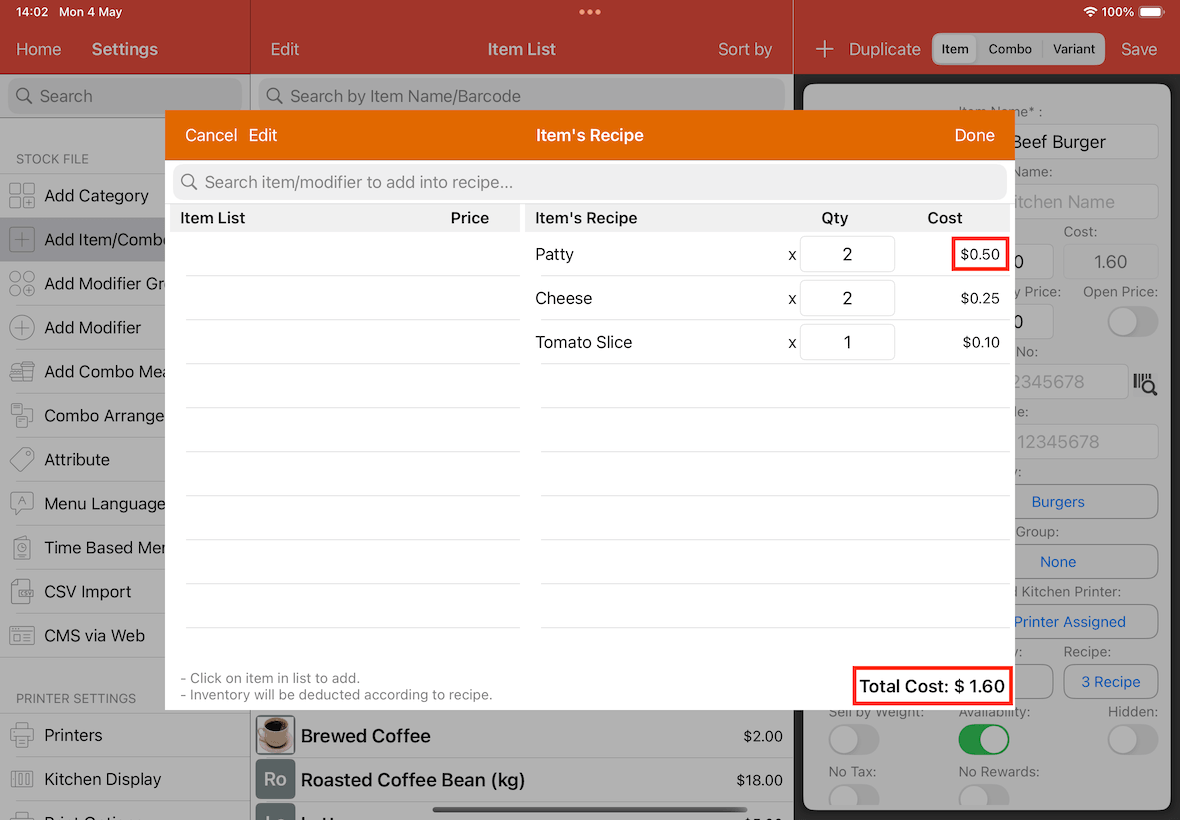
If the cost of the patty cost is changed to $0.60, and the total cost of the beef burger will automatically be updated to $1.80.