Guide | MobiPOS > CloudSync > Inventory Management > Purchase Order Credit Note
Purchase Credit Note
A Purchase Credit Note allows you to process refunds for items returned to your suppliers.
This guide explains on how to create a purchase order credit note from an existing purchase order.
Once completed, the system automatically adjusts your inventory and recalculates the average cost of your items.
Please refer to this guide on how to generate a purchase order.
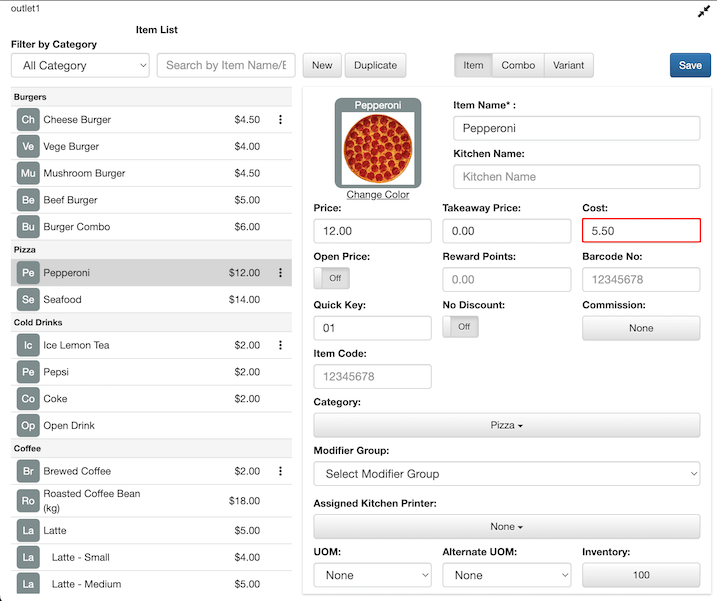
Before creating a credit note, check the Item List to review the current cost of the item you plan to refund.
In this example, we use Pepperoni as the item. The Cost shows $5.50, which is the average cost per unit based on two purchase orders of 50 pepperoni at $5 each and 50 pepperoni at $6 each.
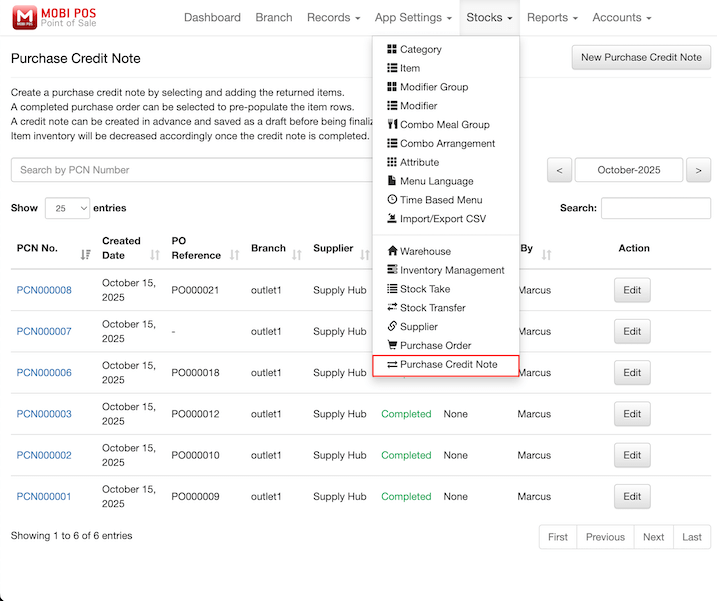
To navigate to the Purchase Credit Note page, on the CloudSync website, look for Stocks -> Purchase Credit Note, as shown below.
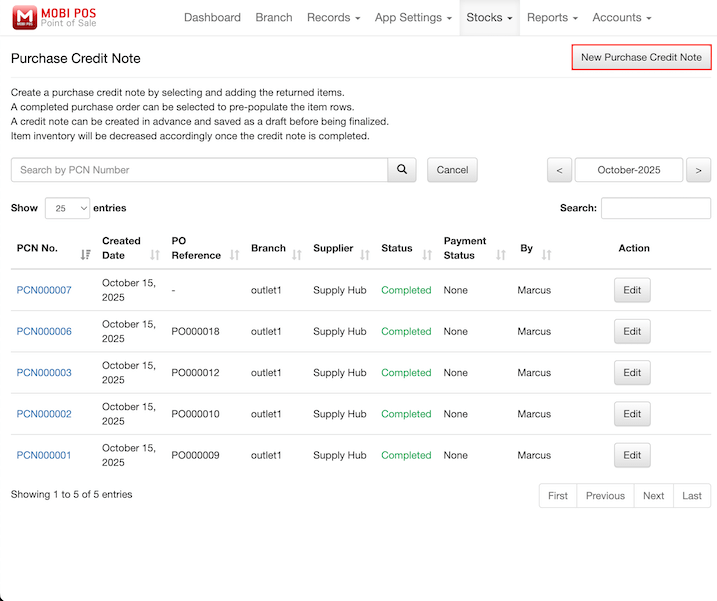
Click on the New Purchase Credit Note button to start creating a new credit note.
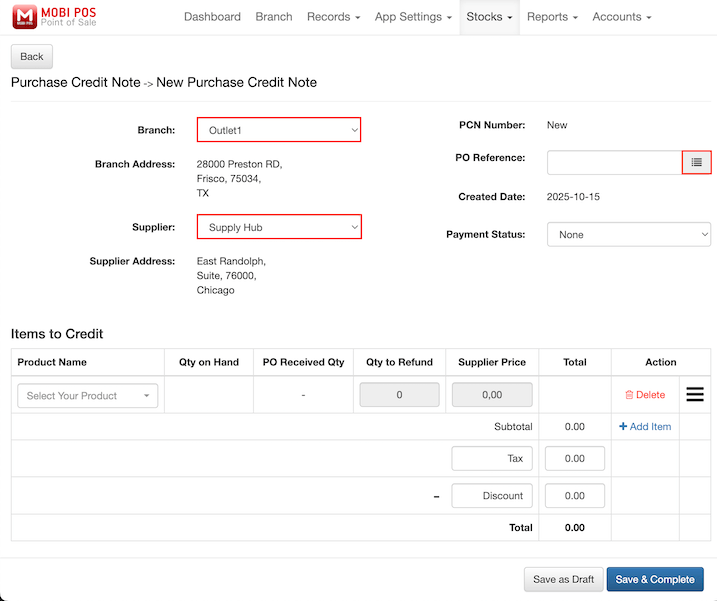
You will be directed to a blank form where you can create your new credit note.
You can select the desired Branch and Supplier from the dropdown menus.
Then, click on the Hamburger Menu icon to select an existing purchase order.
Alternatively, you can select the product directly from the Product Name dropdown in the Items to Credit section.
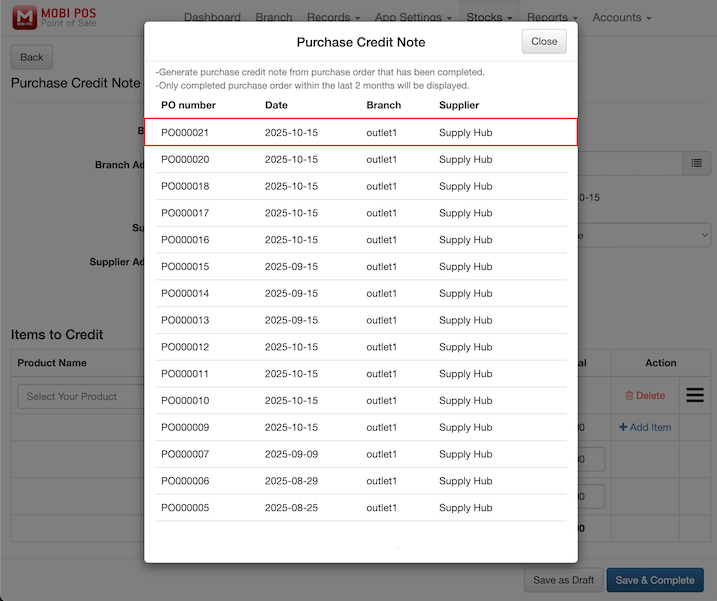
Choose the purchase order you wish to create a credit note for.
In this example, we select PO000021 by clicking on it in the list.
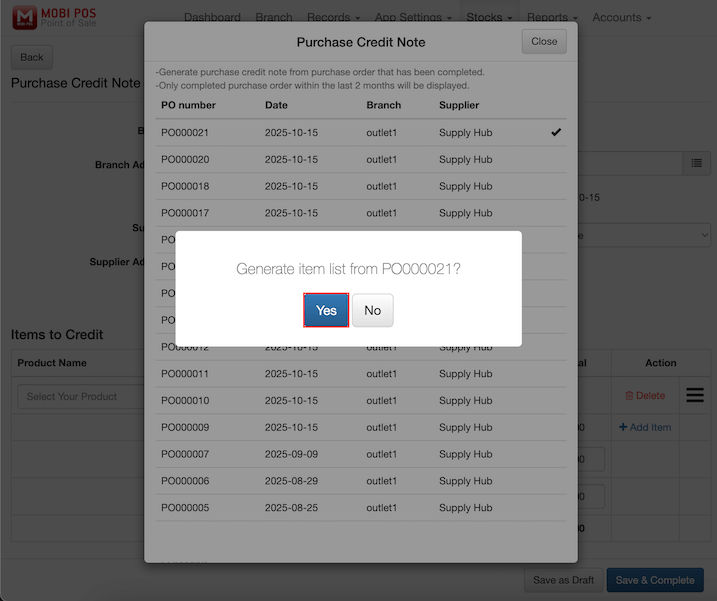
A confirmation dialog will appear to verify your selection before the system loads the items from the purchase order.
Click on the Yes button to confirm and proceed.
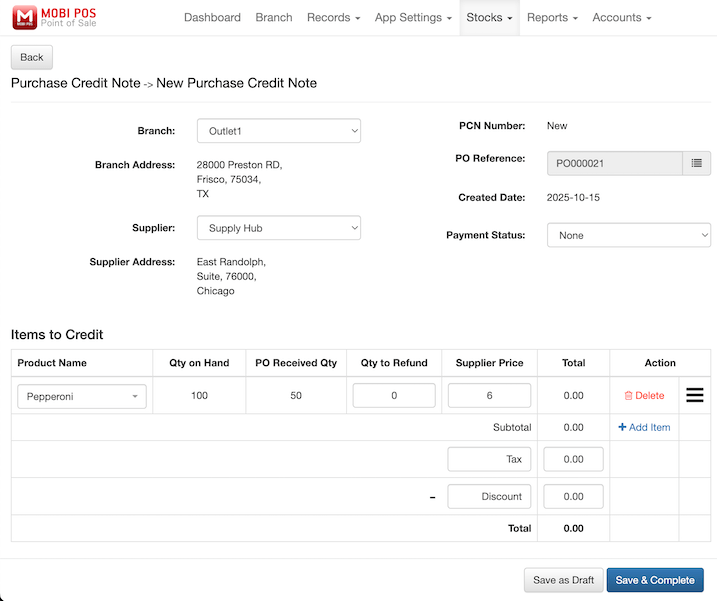
Once confirmed, the form automatically fills in the items from the selected purchase order, including their quantities and prices.
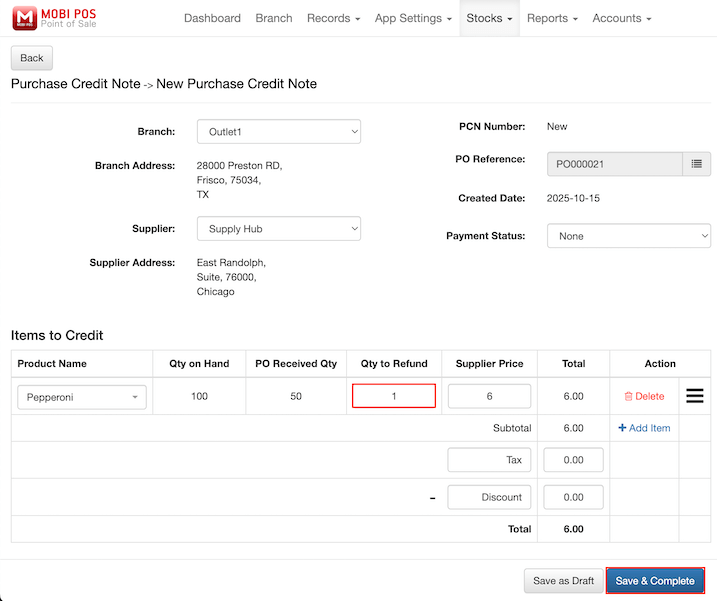
Enter the quantity of items that you want to refund in the Qty to Refund field.
Click on the Save & Complete button to finalize the credit note.
In this example, we refund 1 pepperoni from the $6 batch, and the system automatically calculates the total refund amount as $6.00.
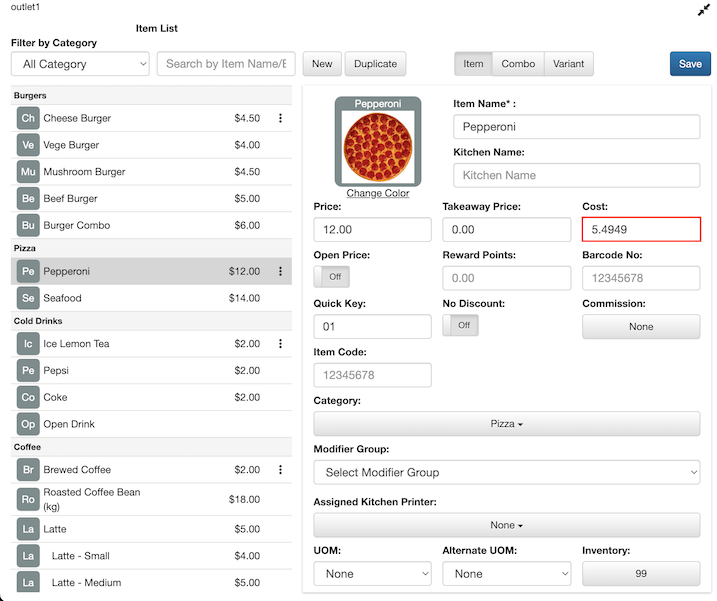
After completing the credit note, return to the Item List to view the updated information.
The Cost now shows $5.4949, which is the new average cost per unit.
Before the refund, there were 100 units in stock worth $550 in total (50 units at $5 + 50 units at $6 = $250 + $300 = $550).
After refunding 1 unit from the $6 batch, the inventory decreases to 99 units. The total inventory value reduced from $550 to $544 (removing one $6 unit: $550 - $6 = $544).
The system automatically recalculates the average cost as $544 ÷ 99 = $5.4949 per unit.
After completing these steps, your purchase credit note is fully processed.