Guide | MobiPOS > Settings > App Settings > Order by Course
Order by Course
This guide would show you how you can take order by course.
Assign the current course, and all orders added subsequently will be added as the assigned course.
Normally, items would follow the course that is configured by their respective category. (e.g., Main Course) at Settings -> Add Category.
However, if a customer decides to change multiple items, such as moving both a Pepperoni and Seafood pizza from Main Course to Appetizer.
You would need to update them one by one.
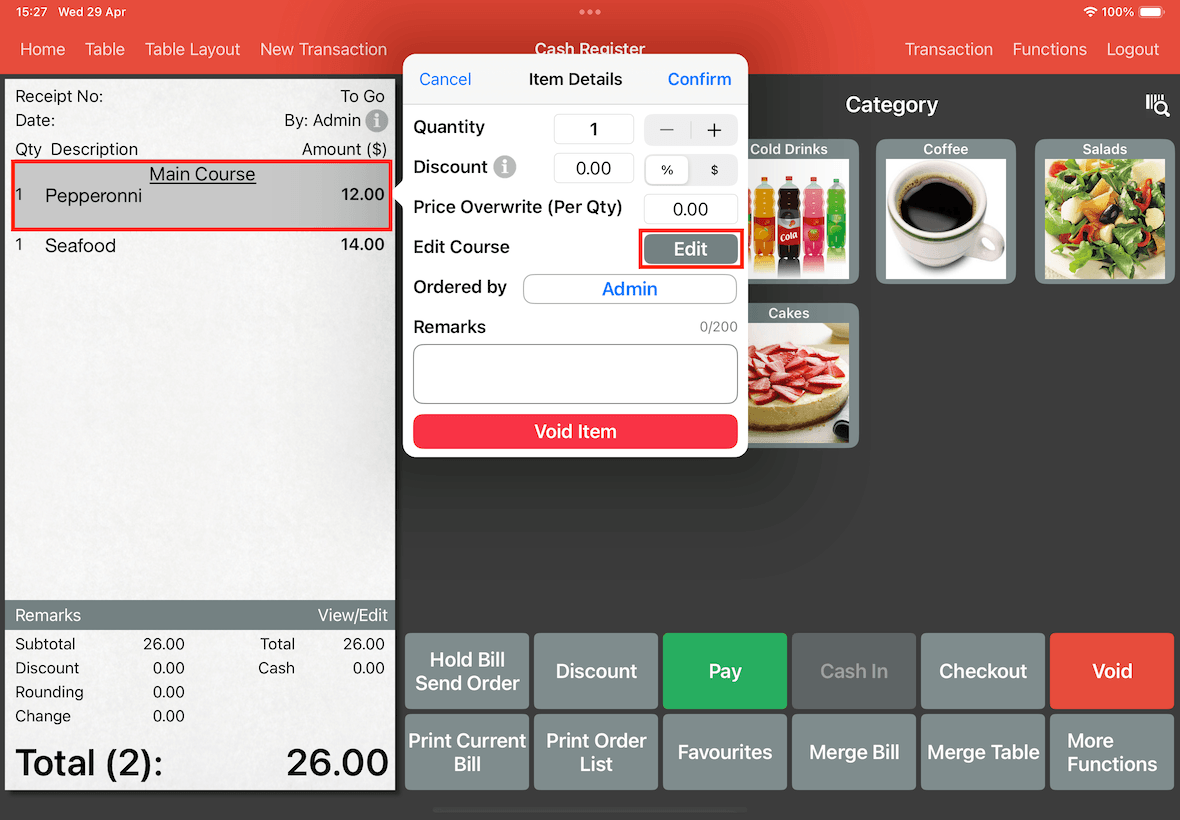
To do this, tap the item in the bill and tap on Edit button to manually assign the course.
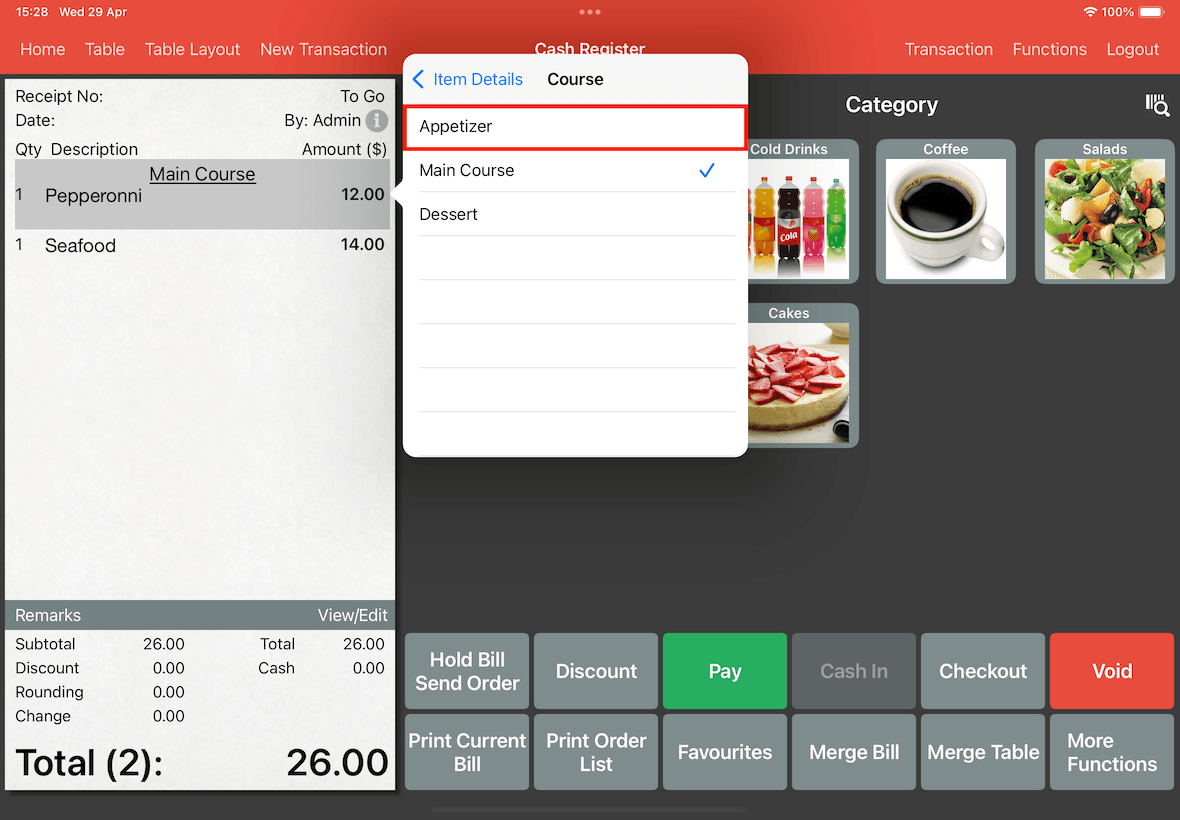
Select Appetizer.
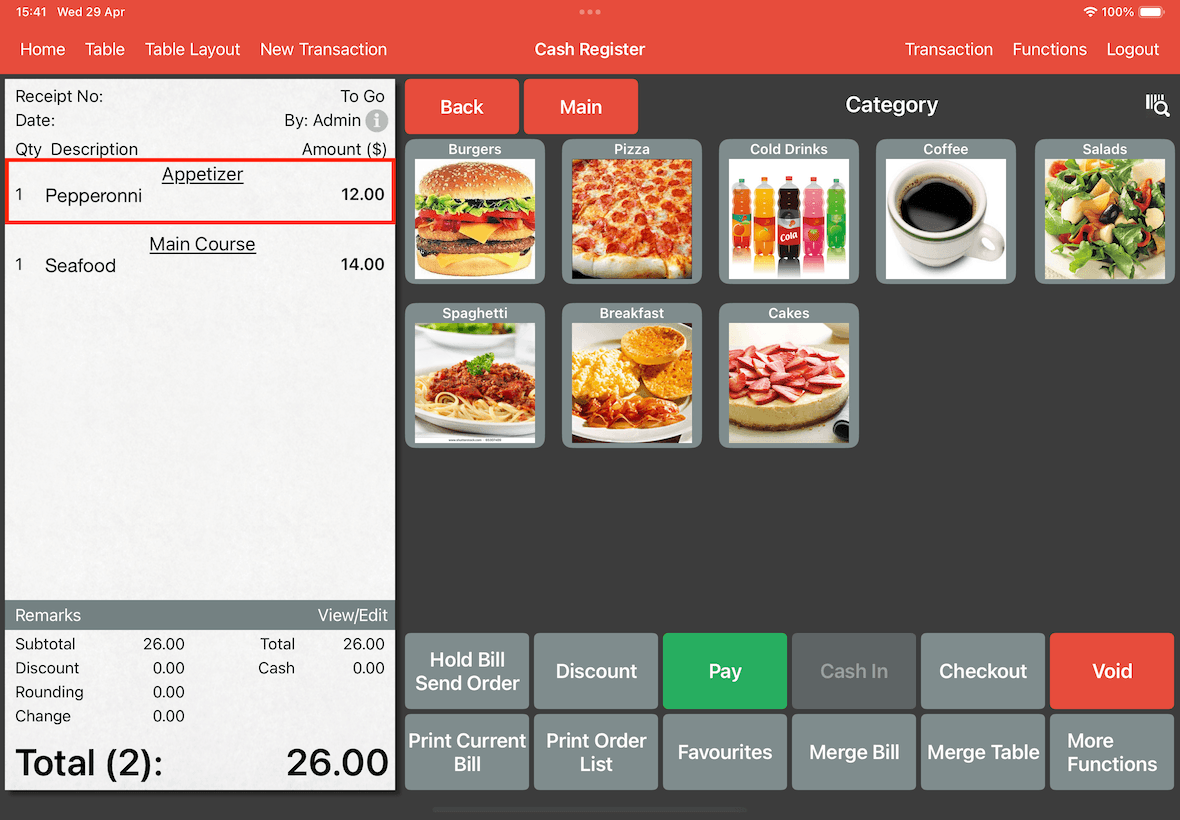
As shown below, the Pepperonni pizza has changed to Appetizer.
But, Seafood pizza is not changed yet, which you will need to repeat the above steps again to change the item's course.
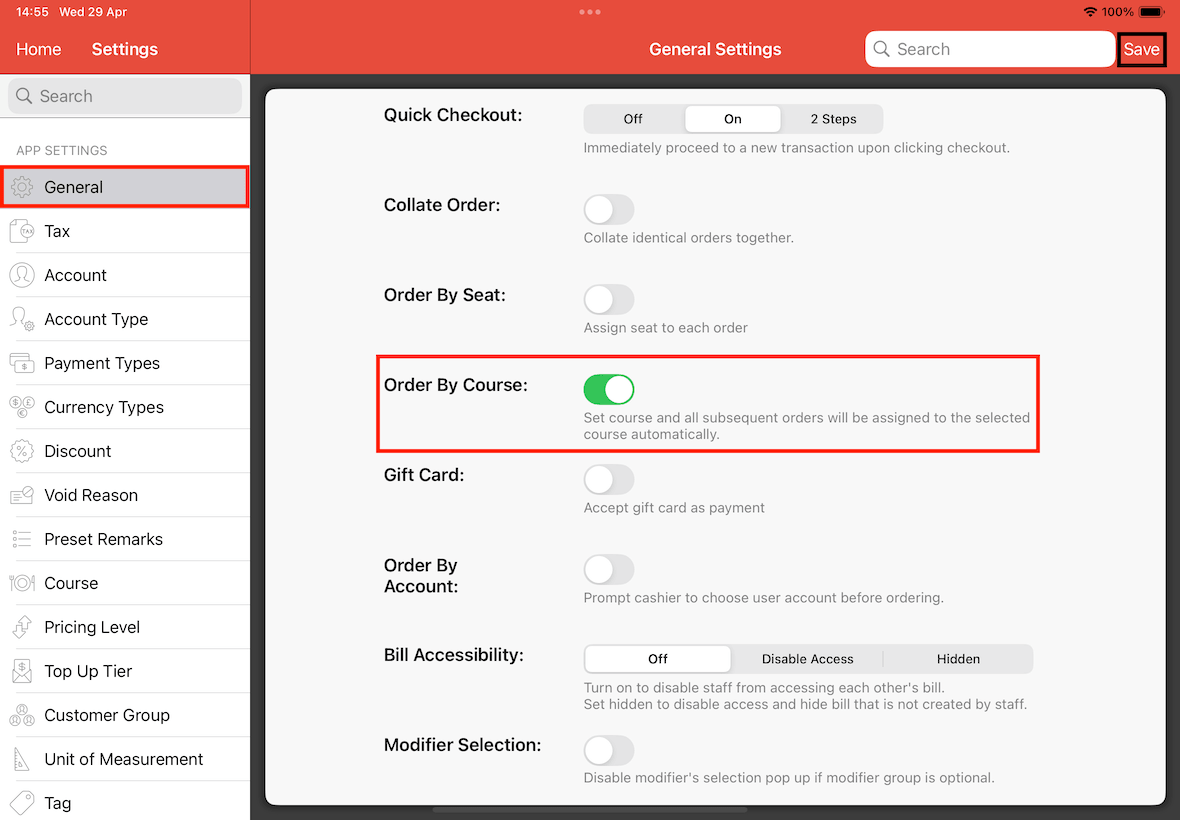
To turn on order by course, activate this feature at Settings -> General -> Order by Course.
Turn On Order By Course, click on Save.
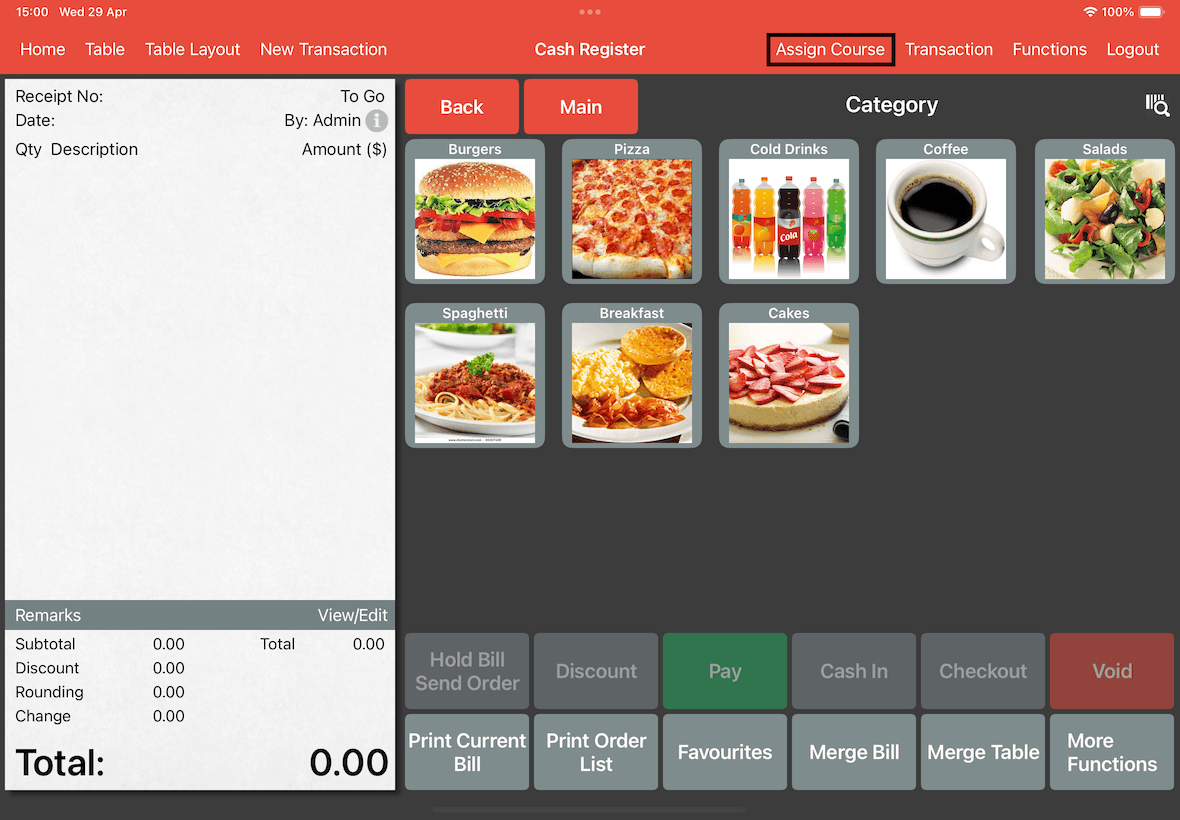
Now, go to Cash Register page. You will see the Assign Course button at the right top.
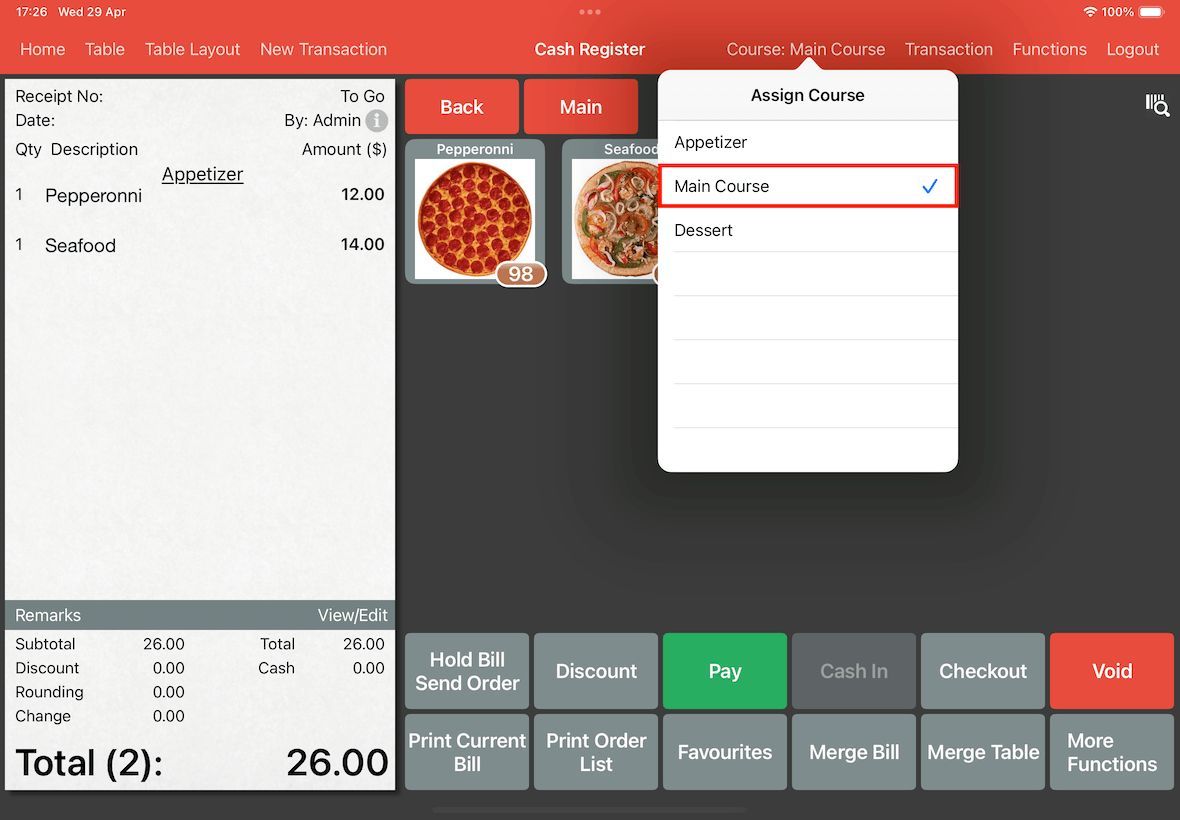
Tap on the Assign Course button.
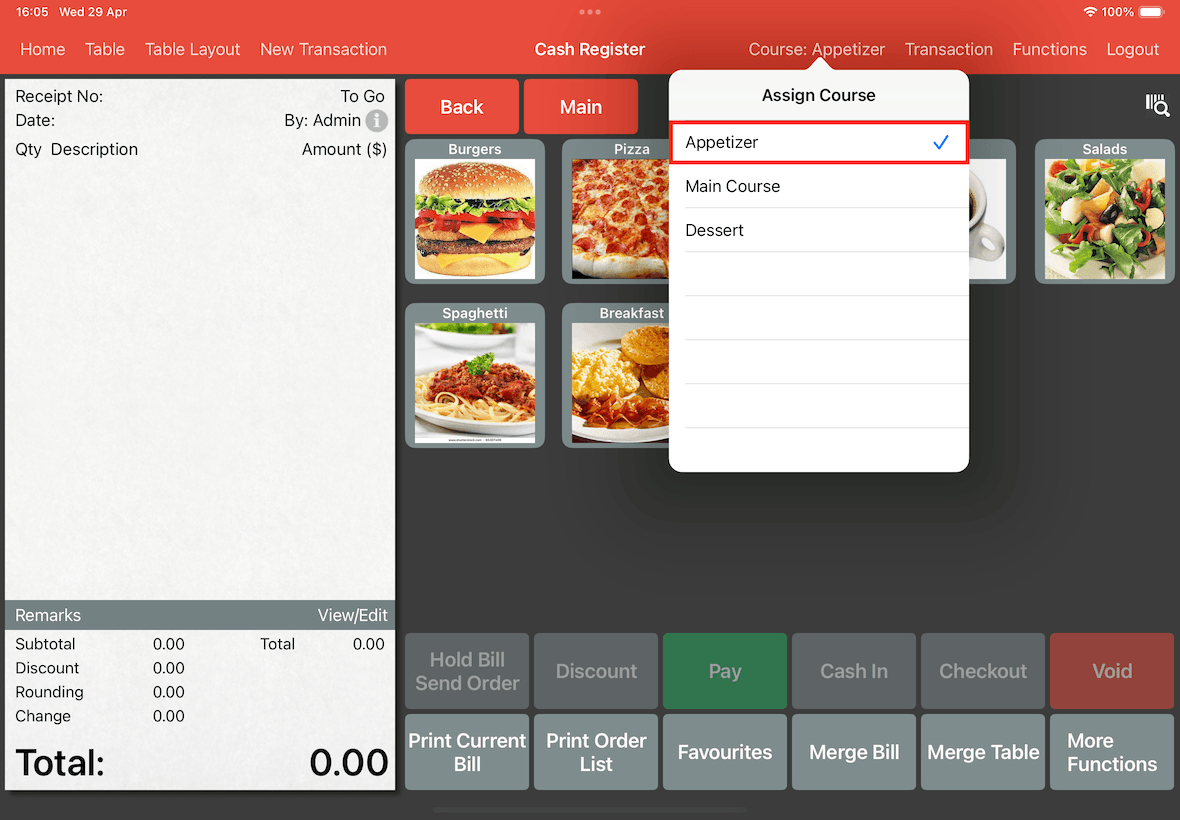
In the pop-up list, select the course you wish to order for the customers.
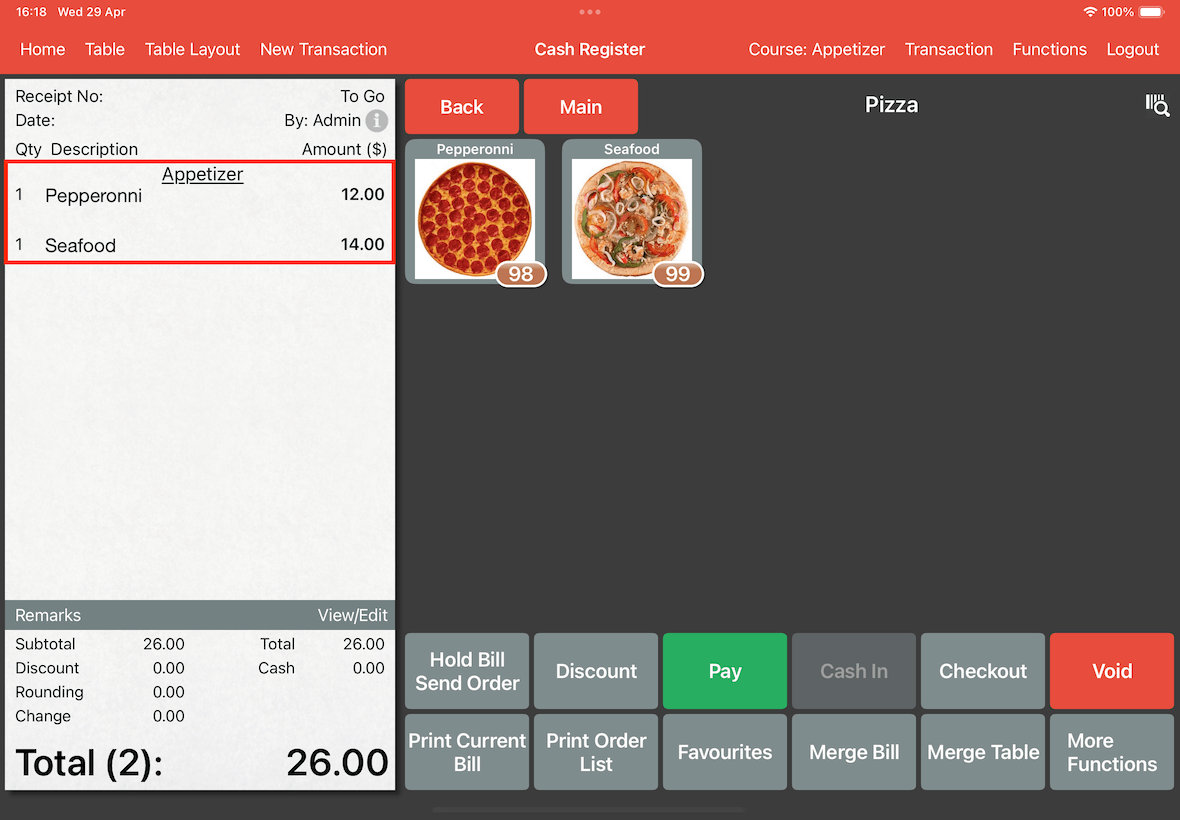
In the example below, we will use Appetizer as the current course for ordering.
Note that you must assign a course first before adding item to the bill, or else the item will be assigned to its original configured course.
We will add Pepperoni and Seafood pizza to the bill.
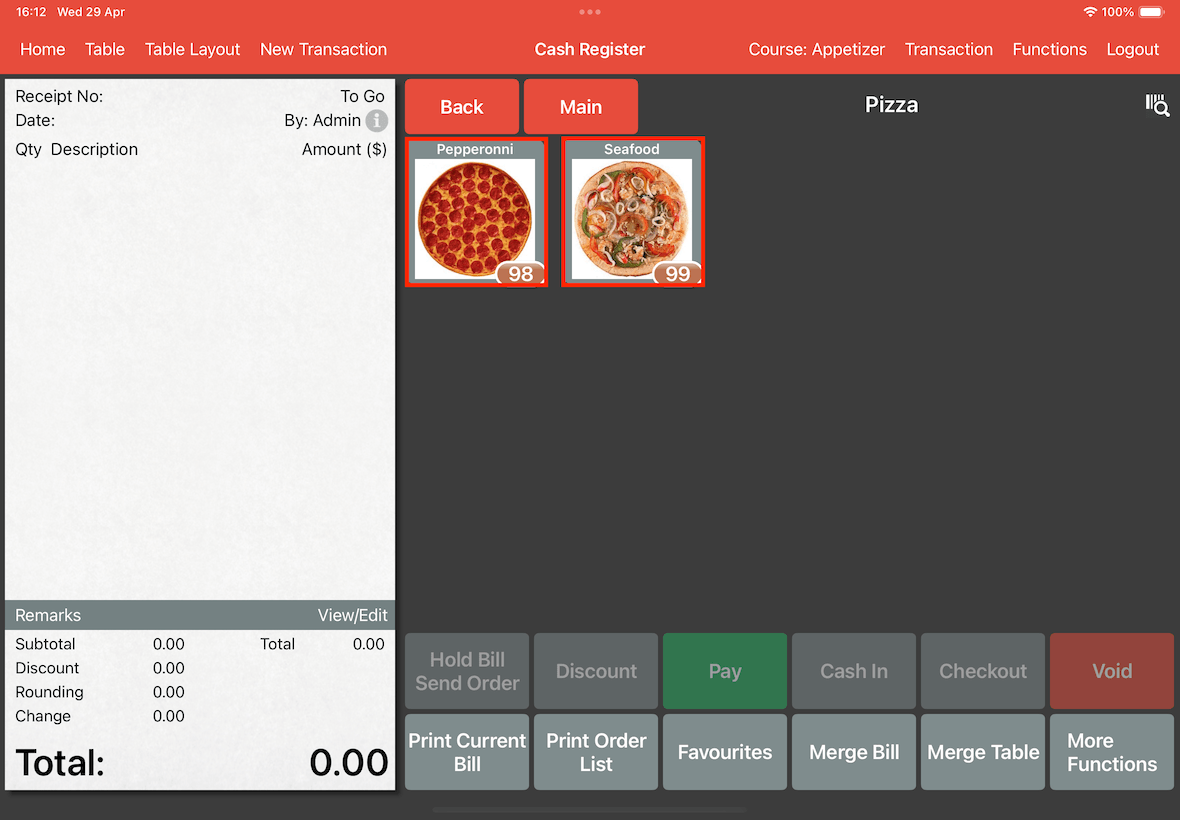
Initially, Pepperoni and Seafood pizza is both under Main Course, but using assign by course function, it will add them as a course of Appetizer.
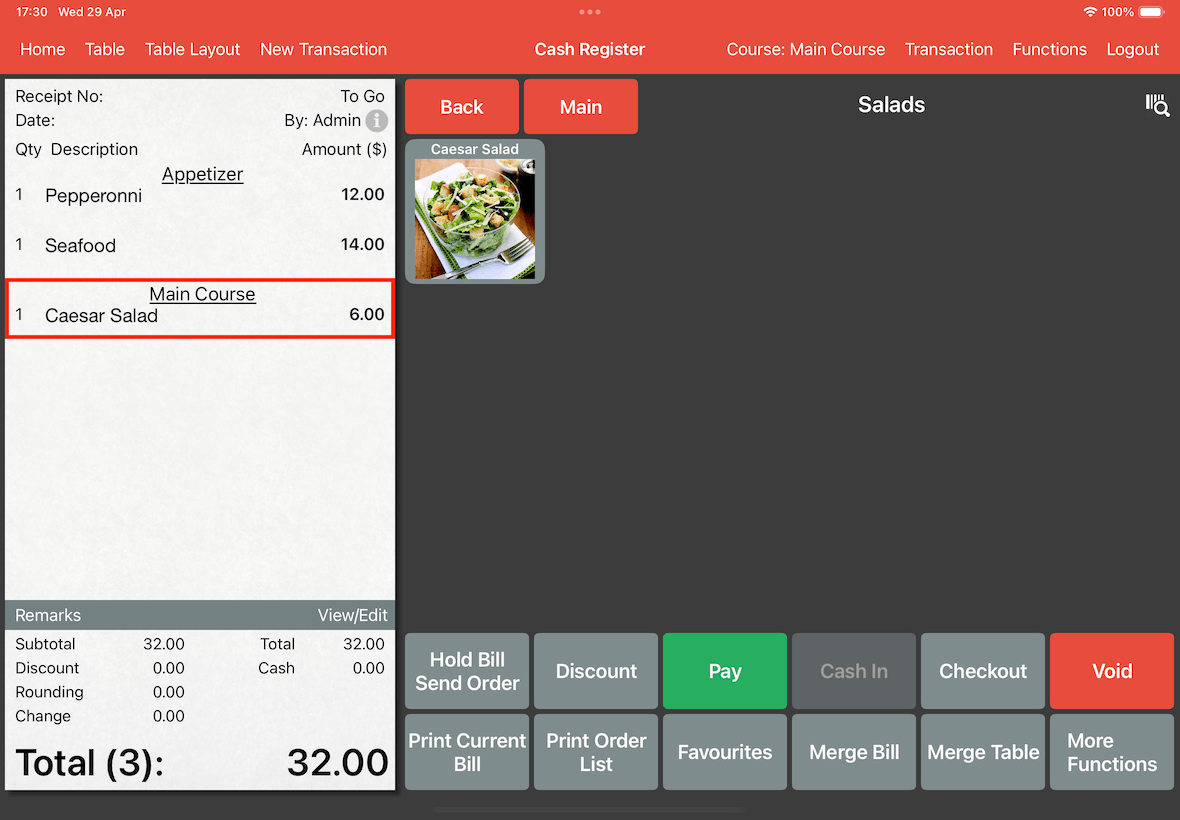
Once the customer is done with their Appetizer orders, you can change the course by clicking on the course button again, and all orders added to the bill will be added as a Main Course.
To remove the assigned course, click on the assigned course to remove it.
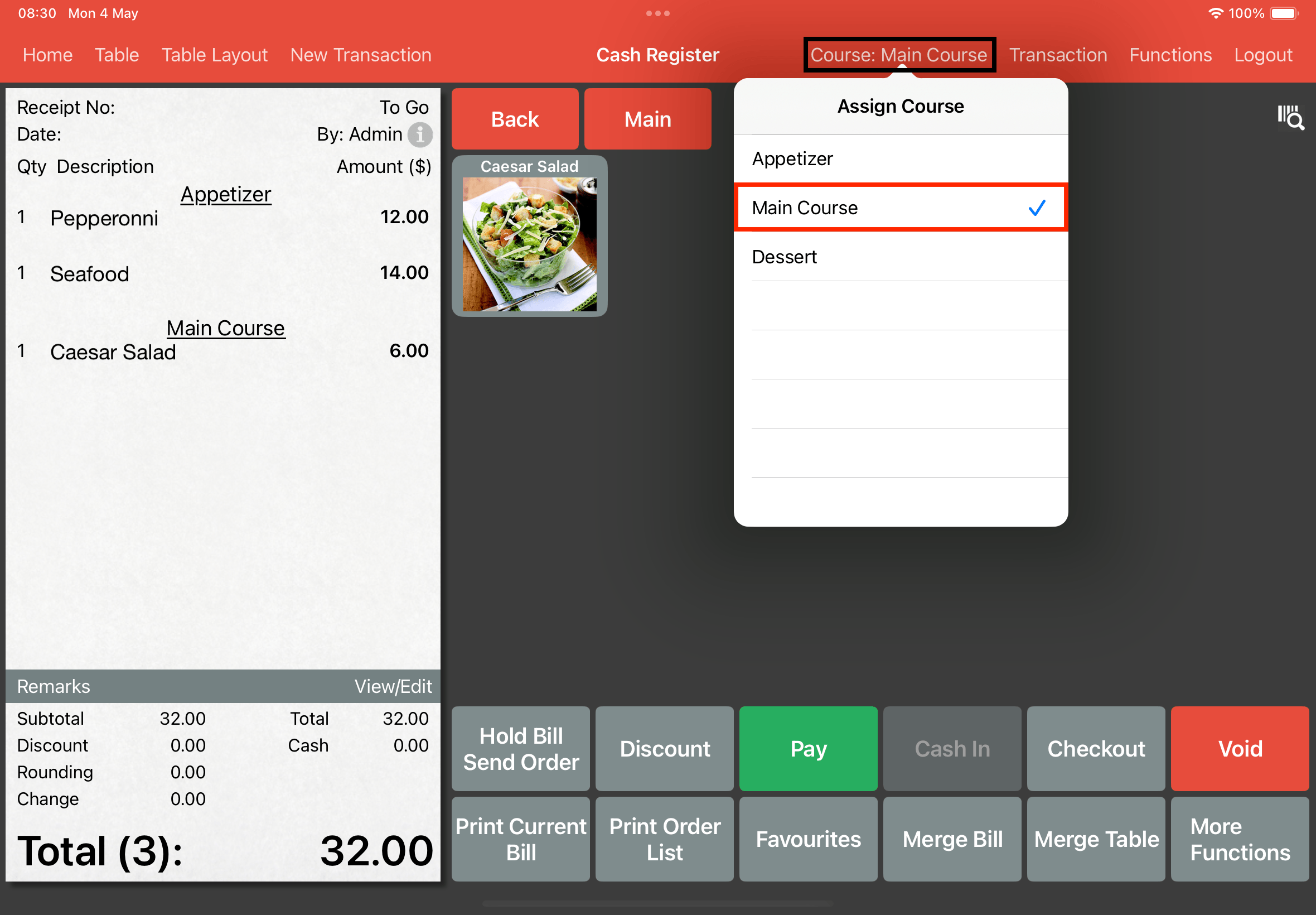
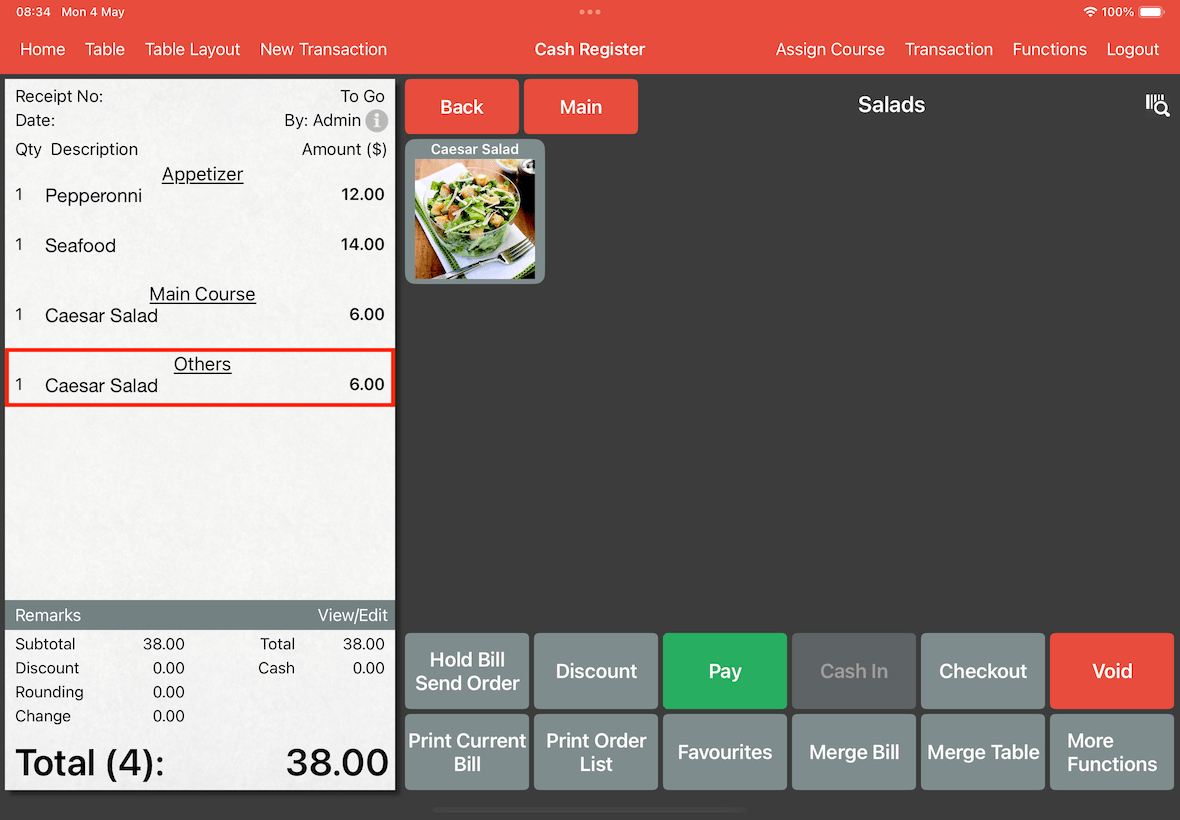
Now ordering a caesar salad will automatically park it under the others "course".