User Guide
Starting Up
- Generate/Download Backup
- Restore
POS
- Stock File
- Add Category
- Add Item
- Creating Raw Materials for Item Recipe
- Item Recipe with Unit of Measurement
- Adding Multiple Barcodes for Item
- Add Modifier Group
- Add Modifier
- Add Combo Meal Group
- Combo Arrangement
- Attribute
- Menu Language
- Time Based Menu
- CSV Import
- CMS via Web
- Printer Settings
- App Settings
- General
- Order by Course
- Clear Unsent Order
- Inventory Check
- Auto Costing
- Prompt Quantity
- Show UOM Details
- Double Layer Recipe Deduction
- Tax
- Account
- Account Type
- Payment Types
- Currency Types
- Discount
- Void Reason
- Preset Remarks
- Course
- Pricing Level
- Top Up Tier
- Customer Group
- Customer Allowance
- Unit of Measurement
- Tag
- Table Management
- Denomination
- Timer
- Replace Word
- Button Layout
- Theme
- Settings
- Others
- Previous Receipt
- Pay In/Pay Out
- Custody
- Closed Tills
- Clock In/Out
- Gift Card
- Voucher
- Voucher Template
- Rewards/Loyalty
- Promotion
- Cloud Sync
- GloriaFood Delivery
- Backup/Archive
- App Activation
Add Ons
- General
- Inventory Management
- Warehouse
- Inventory Management
- Stock Take
- Stock Transfer
- Supplier
- Purchase Order
- Purchase Order Credit Note
- Content Management System
- Account/Privilege
- Integrations
- Others
- Settings/Setup
- Online Booking Settings
- Booking Interface
- Booking Menu
- Join Table
- Booking Deposit Usage/Configurations
- Booking Configurations by Date
- Function
- New Booking
- New Booking From Timeline
- Edit Booking
- Adjust Booking Duration
- Block Booking
- Lock In Booking
- Manage Booking
- Bypass Block Booking
- Booking Waitlist
- Online Booking with Deposit
- Others
Guide | MobiPOS > Settings > App Settings > Prompt Quantity
Prompt Quantity
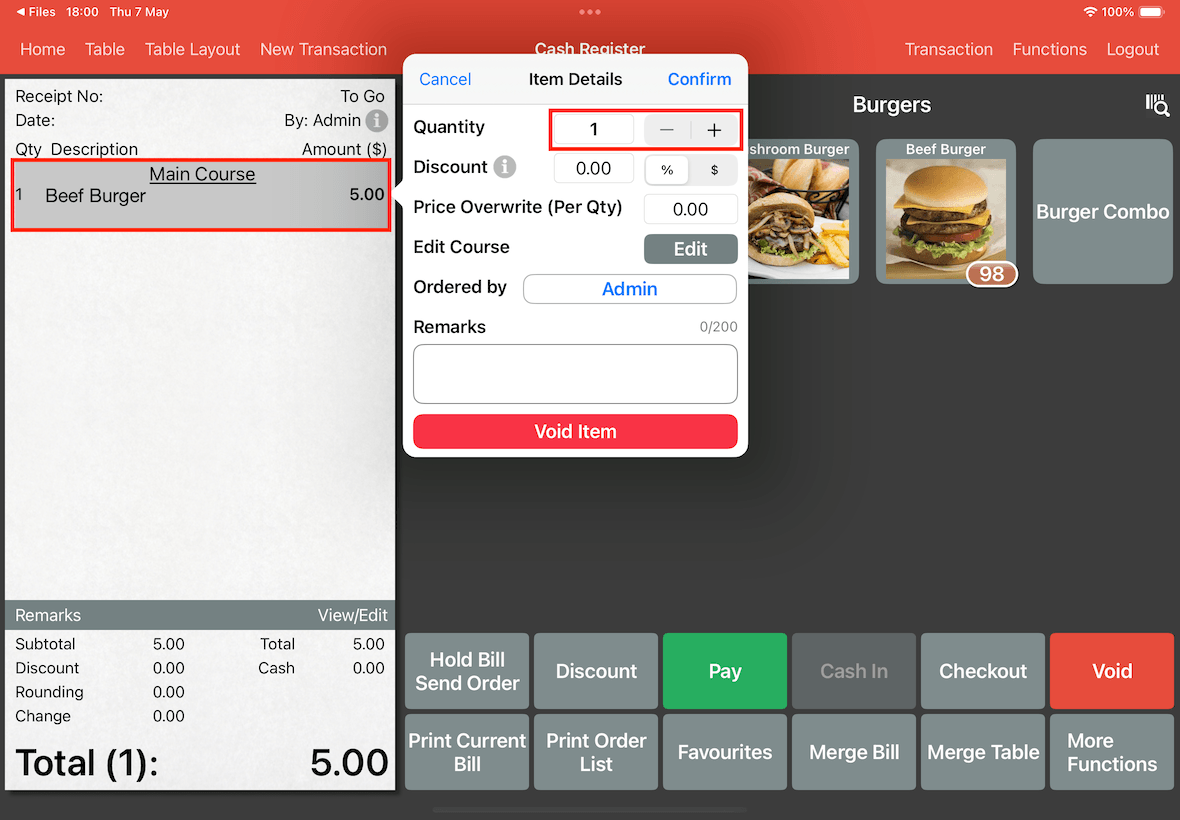
By default, the system will not ask you to insert the quantity of the ordered item.
If you wish to change the quantity for the added item in the bill, you will need to tap on the ordered item and change the quantity in this pop-up as shown below.
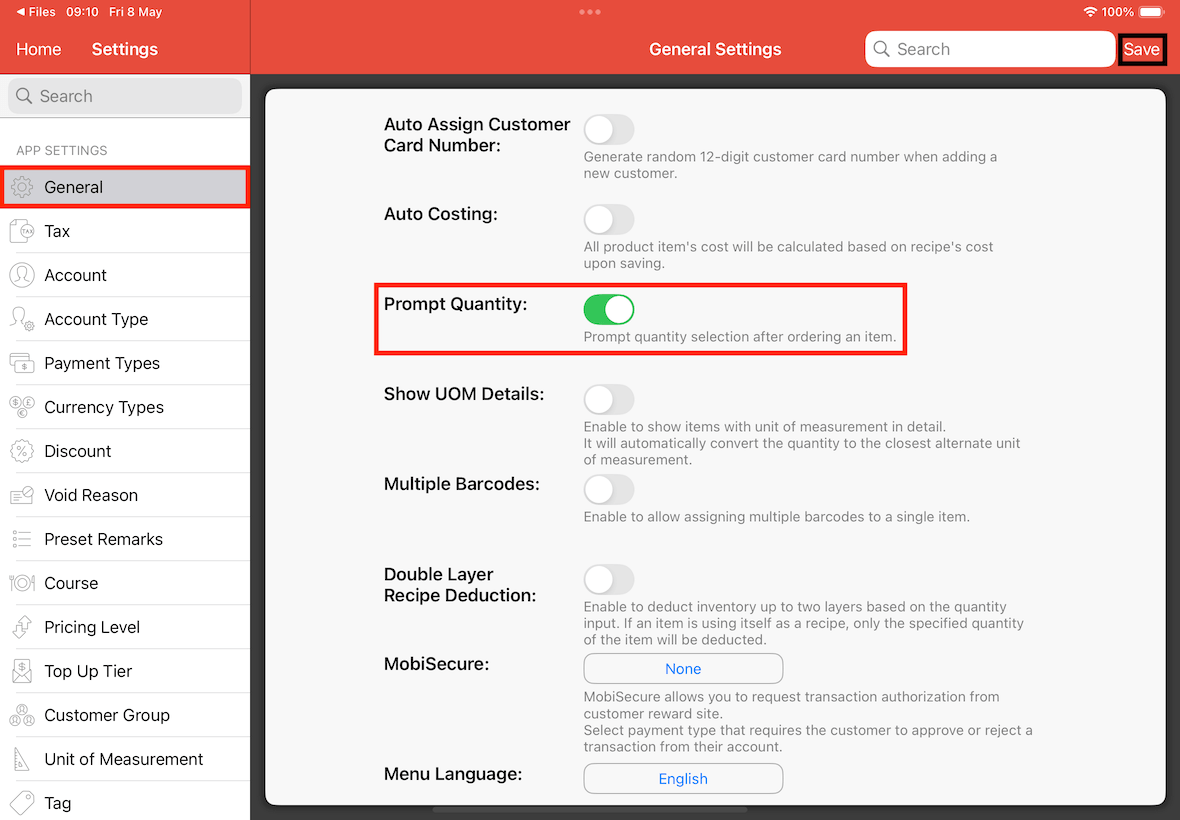
Turning on Prompt Quantity will let you enter the quantity before the item is added to the bill.
To enable this function go to Settings -> General -> Prompt Quantity , switch it On and Save.
As shown below, a keypad will appear once an item is added to the bill.
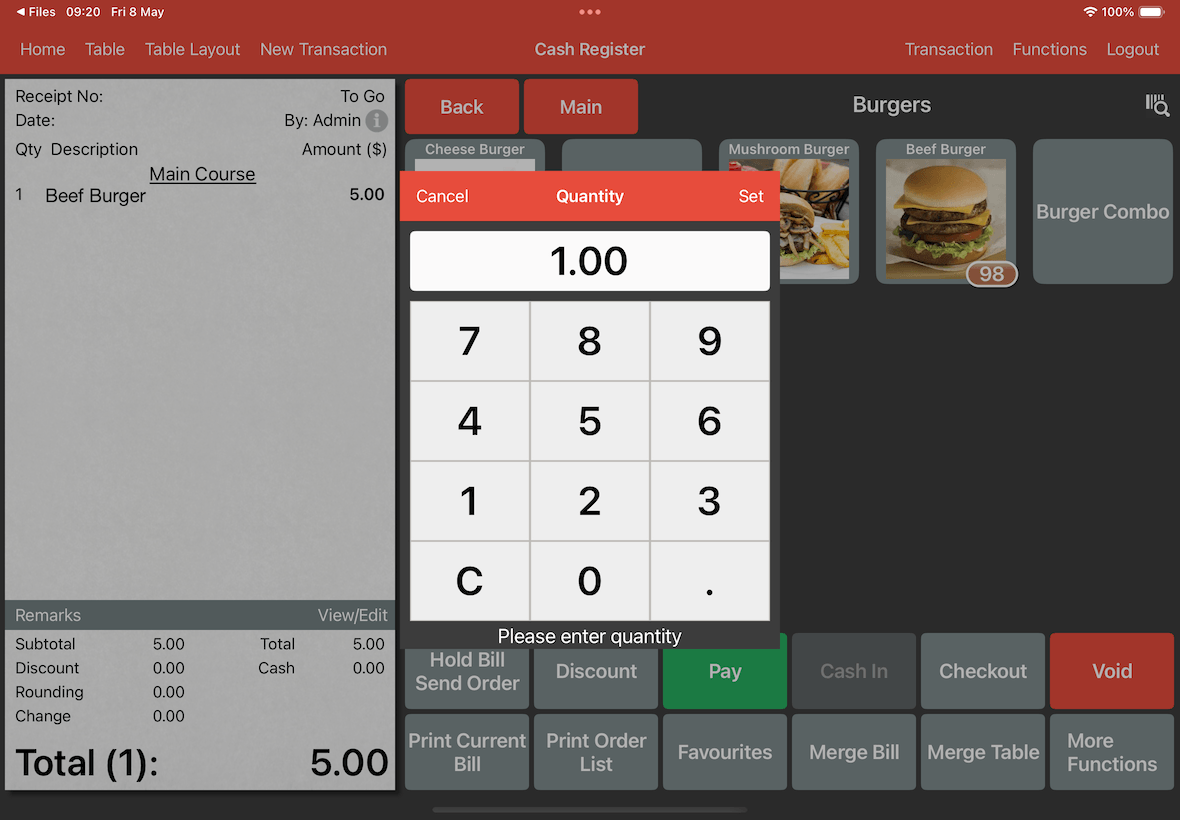
In the keypad enter the amount for the item you have selected, and tap on Set on the keypad's top right.
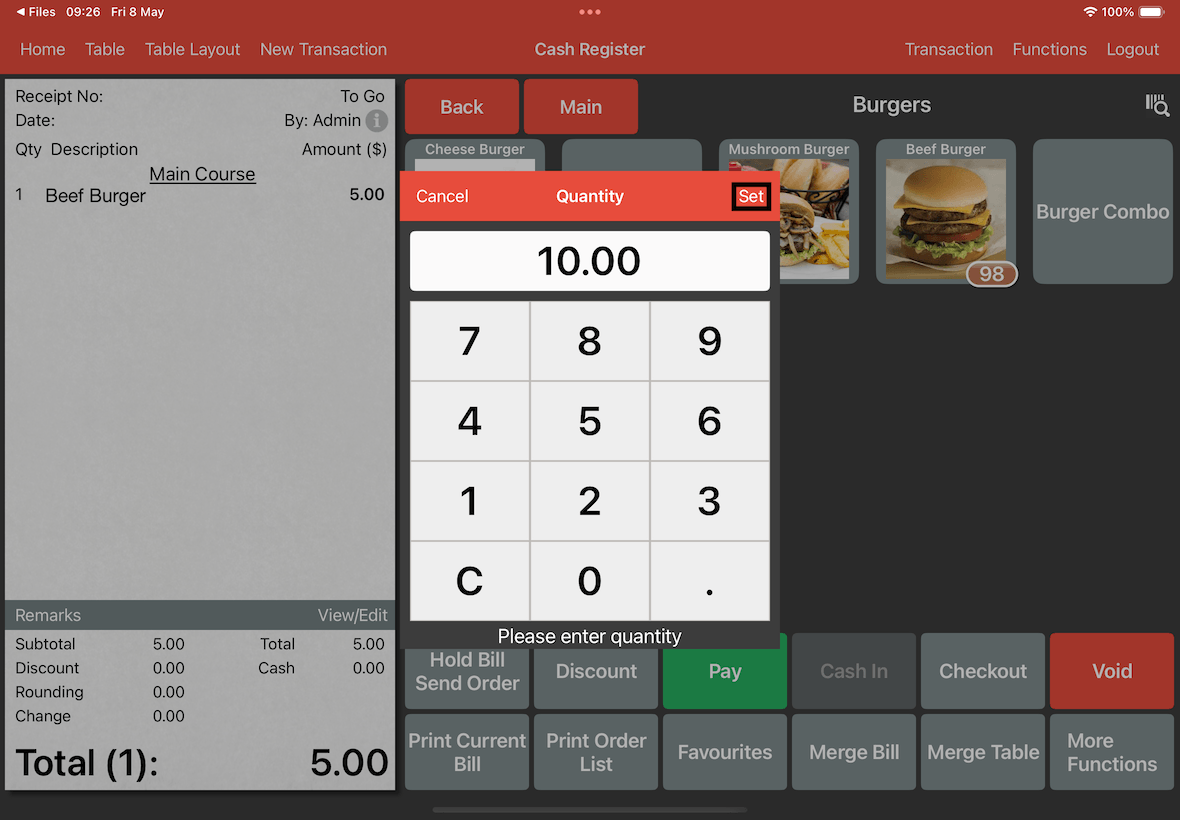
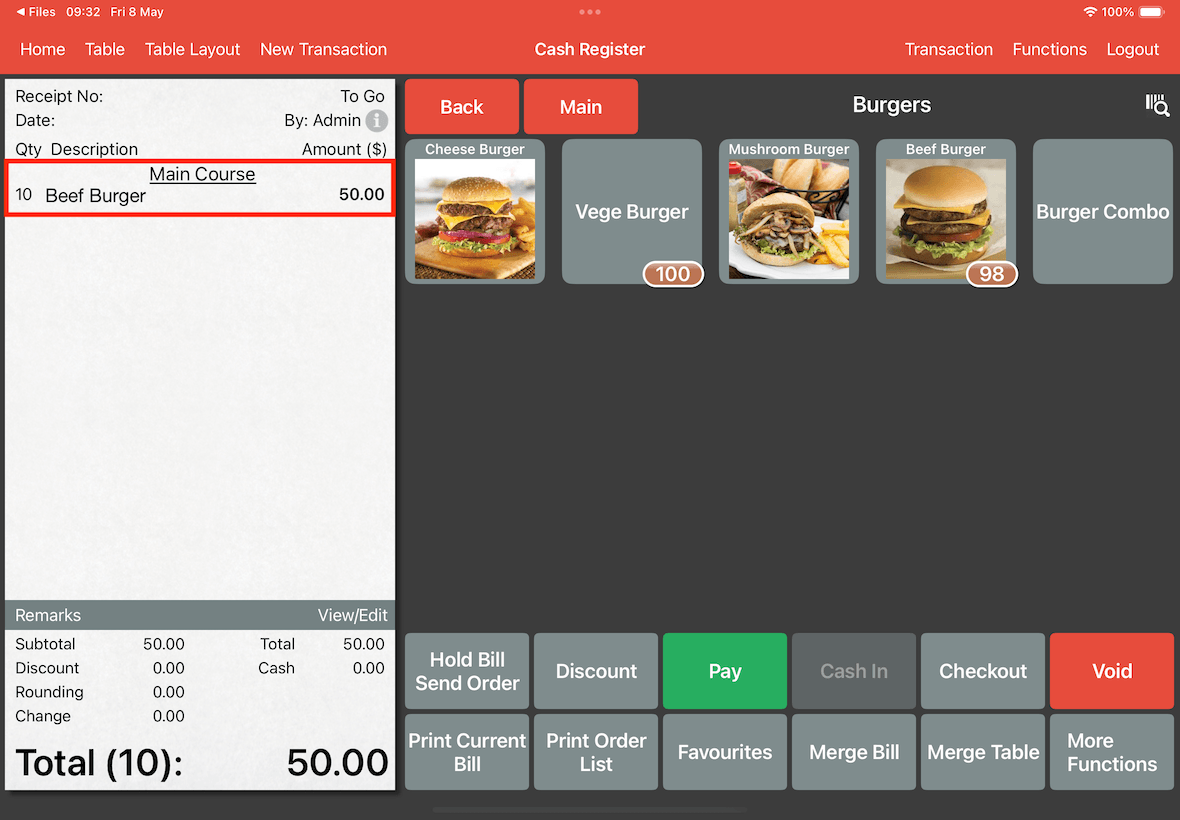
As you can see in the below screenshot, on the left side of the Beef Burger the Qty is listed as 10.